Reports
Reports are printouts of your genealogical research — ancestor charts, descendant charts, person profiles — in PDF or printable format.
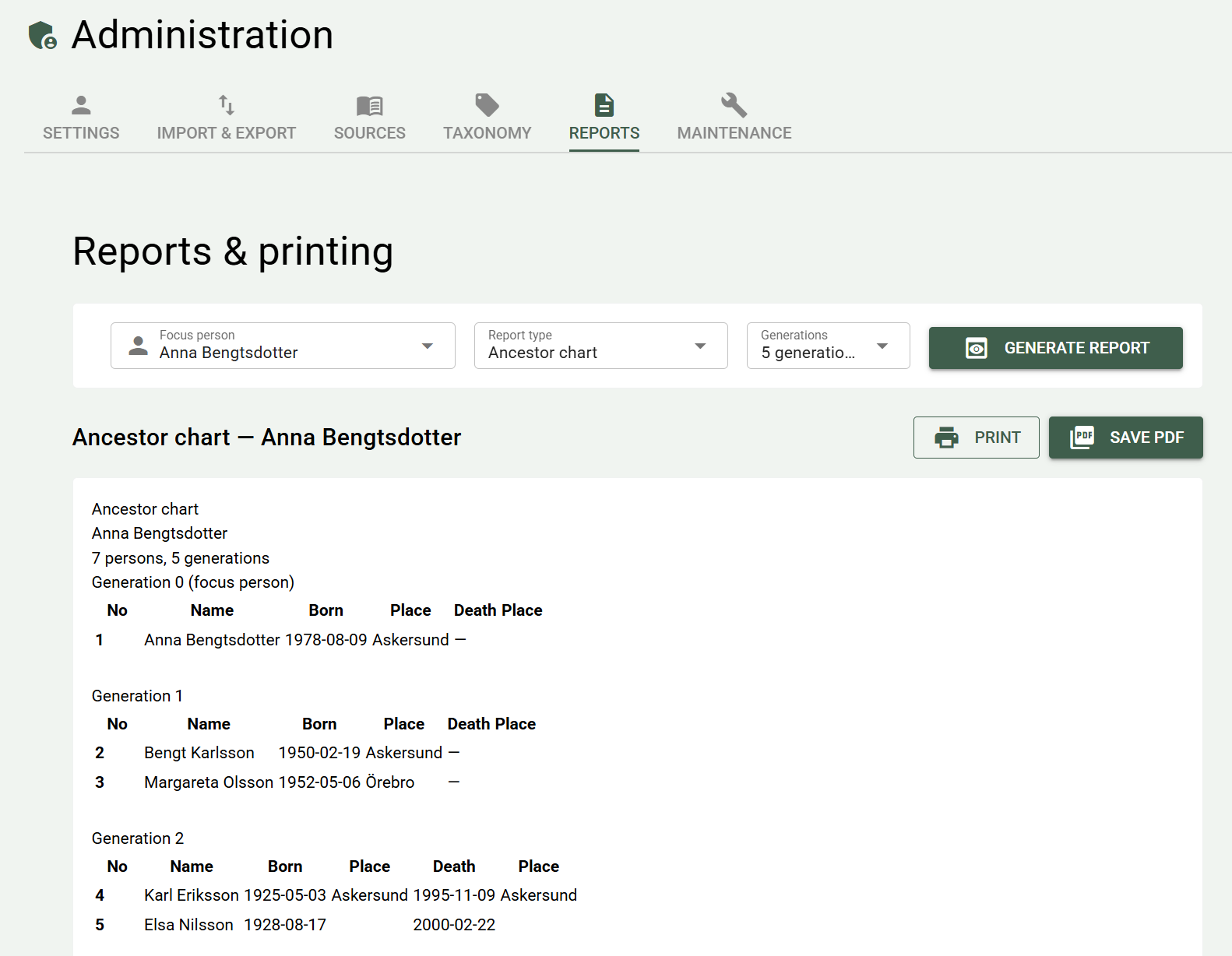
Create a report
Go to Research → Reports. Choose the report type and a focus person — and for ancestor and descendant charts, how many generations to include — and click Generate report. The source list covers all of your research, so there you don't choose a focus person. The report is shown on the page, so you can review it before you save or print it.
Ancestor chart
An ancestor chart shows a person's ancestors back through time — parents, grandparents, and so on — numbered according to the Ahnentafel system.
Choose a focus person and how many generations to show (3–8)
Descendant chart
A descendant chart shows descendants — all children, grandchildren, and great-grandchildren of a common ancestor.
Choose a focus person and how many generations downward to show.
Family sheet
A family sheet shows a family unit: the focus person, partner, and children with dates and places.
Person profile
A person profile is a summary page about a specific person — with biography, parents, partner, children, siblings, events, and source citations in printable form.
Good to send to relatives who don't want PastPaths installed but want to see what you've found about a specific person.
Source list
A list of all the sources in your research, grouped by source type (parish register, census, book, and so on). Shows title, author, archive, and number of citations for each source.
Good as an overview and as an archival record.
Save and print
Above the report are the Save PDF and Print buttons. Both create a PDF file in the export folder's Documents\PastPaths\Reports subfolder. Reports from earlier versions remain in Documents\PastPaths\Rapporter. → More about the export folder
- Save PDF saves the file and shows a button that opens the folder.
- Print saves the file and opens it in your PDF reader — choose Print in the reader to print it.
Tips
- PDF first, paper later. Review the PDF before printing — a large family tree can run to many pages.
- Think about what you share about living relatives. Reports don't automatically hide details about living people today — check the printout before you share it.